Migrate Resources to Another Jump Server
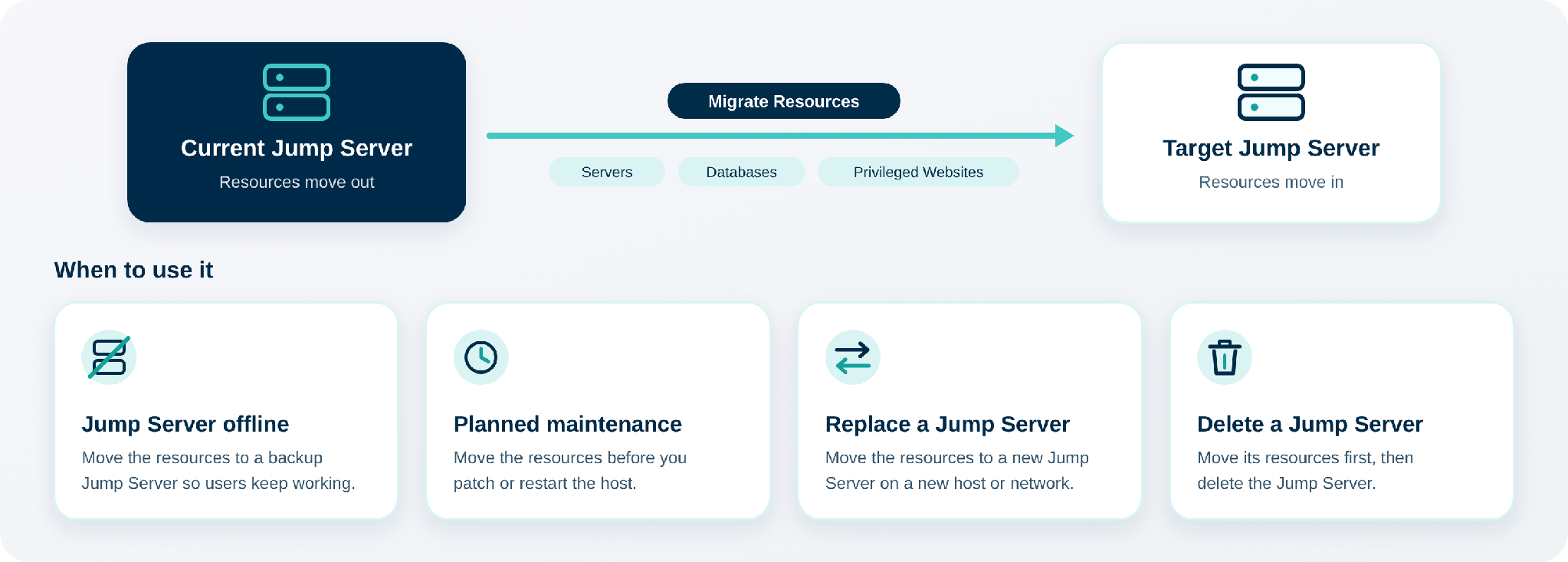
In JumpCloud Privileged Access Management (PAM), every server, database, and Privileged Website that has Web Shield on is associated with a Jump Server. Users reach the resource through that Jump Server.
With Migrate Resources, you move this association from one Jump Server to another in a few clicks. Users keep access to the resources, now through the new Jump Server. This article is for IT Admins who manage Jump Servers in PAM.
Prerequisites
- Another Jump Server to receive the resources.
- Network access from the target Jump Server to the resources, on their ports, and from your users to the target Jump Server.
The migration changes only which Jump Server the resources use. It does not change network rules.
Migrating Resources
- Log in to the JumpCloud Admin Portal.
- Go to Access > PAM > Jump Servers.
- In the Actions column of the Jump Server that has the resources, open the three-dot menu and click Migrate Resources.

The migration has three steps: Choose Resources, Choose Jump Server, and Review and Migrate.
Choosing Resources
- Select the resources to move. You can select them one by one, or select the checkbox at the top of the table to select all of them. The table shows how many resources are selected.
- (Optional) To find resources, use the search box, or click Filter and choose a category: Privileged Websites, Server, or Database.
- Click Next.
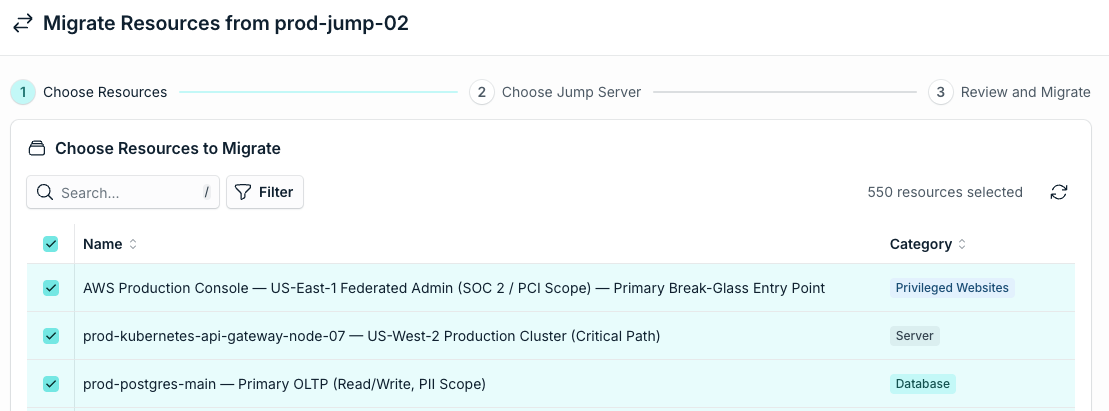
The checkbox at the top selects all resources of the Jump Server, not only the ones on the current page.
Choosing the Jump Server
- In Target jump server, select the Jump Server that receives the resources.
- Click Next.
Reviewing and Migrating
- Review the summary: the current and the target Jump Server, and the table with all the resources that move.
- (Optional) To change something, click Previous.
- Click Migrate.
When the migration finishes, PAM shows a confirmation with the number of resources moved and the name of the target Jump Server.

Confirming the Migration
- Go to Access > PAM > Privileged Resources.
- Open the Servers, Databases, or Privileged Websites tab.
- Open one of the migrated resources. Its Jump Server is now the target Jump Server.
Was this information helpful?