Migrate Cisco Meraki RadSec From Keeper to PureCA
Replace Cisco Meraki's Keeper CA with your organization's PureCA certificate bundle in JumpCloud RadSec. RadSec uses TLS to validate Meraki access point certificates with JumpCloud RADIUS.
Because JumpCloud cannot trust Keeper and PureCA simultaneously, replace the Keeper certificate with the PureCA certificate bundle in JumpCloud. When replacing the certificate directly, disabling RadSec is not required. When PureCA certificates are trusted, access points present leaf client certificates issued by PureCA rather than Keeper.
Prerequisites
- Access to your Cisco Meraki organization's Certificates page and the JumpCloud Admin Portal.
- Your organization's PureCA CA chain, downloaded from Cisco Dashboard.
- Meraki access points on supported firmware. RadSec support began with MR 30.x. PureCA migration guidance identifies MR 33.1.2 or later. See MR RadSec and Cisco Keeper to PureCA Migration Strategy.
Once PureCA is trusted, migrating back to Keeper CA is not possible as Cisco is deprecating it.
Considerations
- Schedule a maintenance window. RadSec is unavailable on every dependent RADIUS configuration you disable before removing Keeper.
- APs that must keep authenticating need PureCA certificates before service resumes. Keeper-issued certificates cannot use the PureCA trust path.
- Use the PureCA bundle from your own Meraki organization only.
- JumpCloud's CA bundle trusts the AP. The AP's server trust certificate is a separate operation.
- Keeper rollback may be possible during Cisco's transition period. JumpCloud does not guarantee it.
Downloading the PureCA Certificate Bundle
- Sign in to Cisco Meraki Dashboard and select your organization.
- Open Organization. Under Configure, select Certificates.
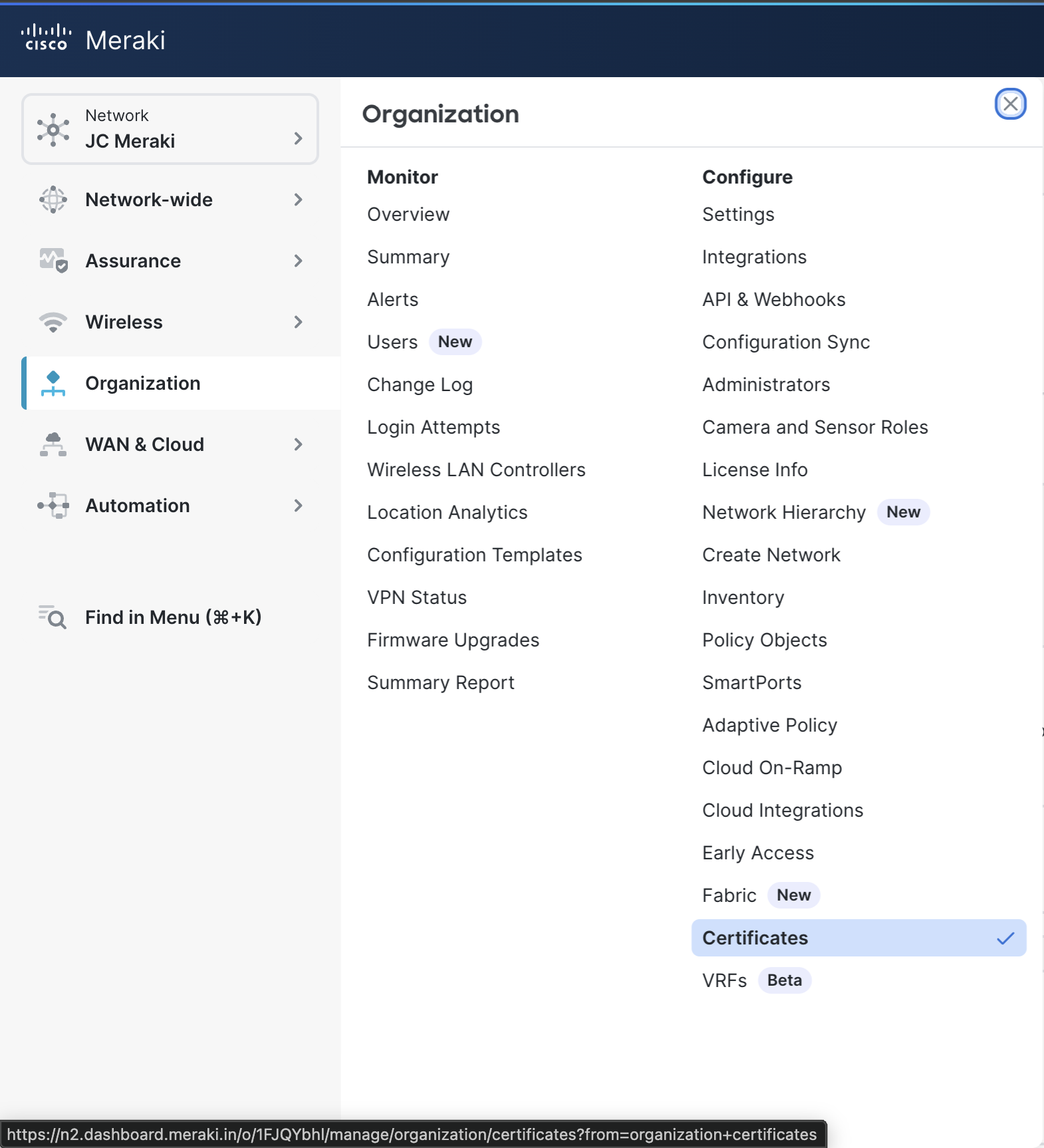
- Select the RADSEC tab.
- Under Generate device certificates, locate RadSec PureCA certificates.
- Click Download CA Chain.
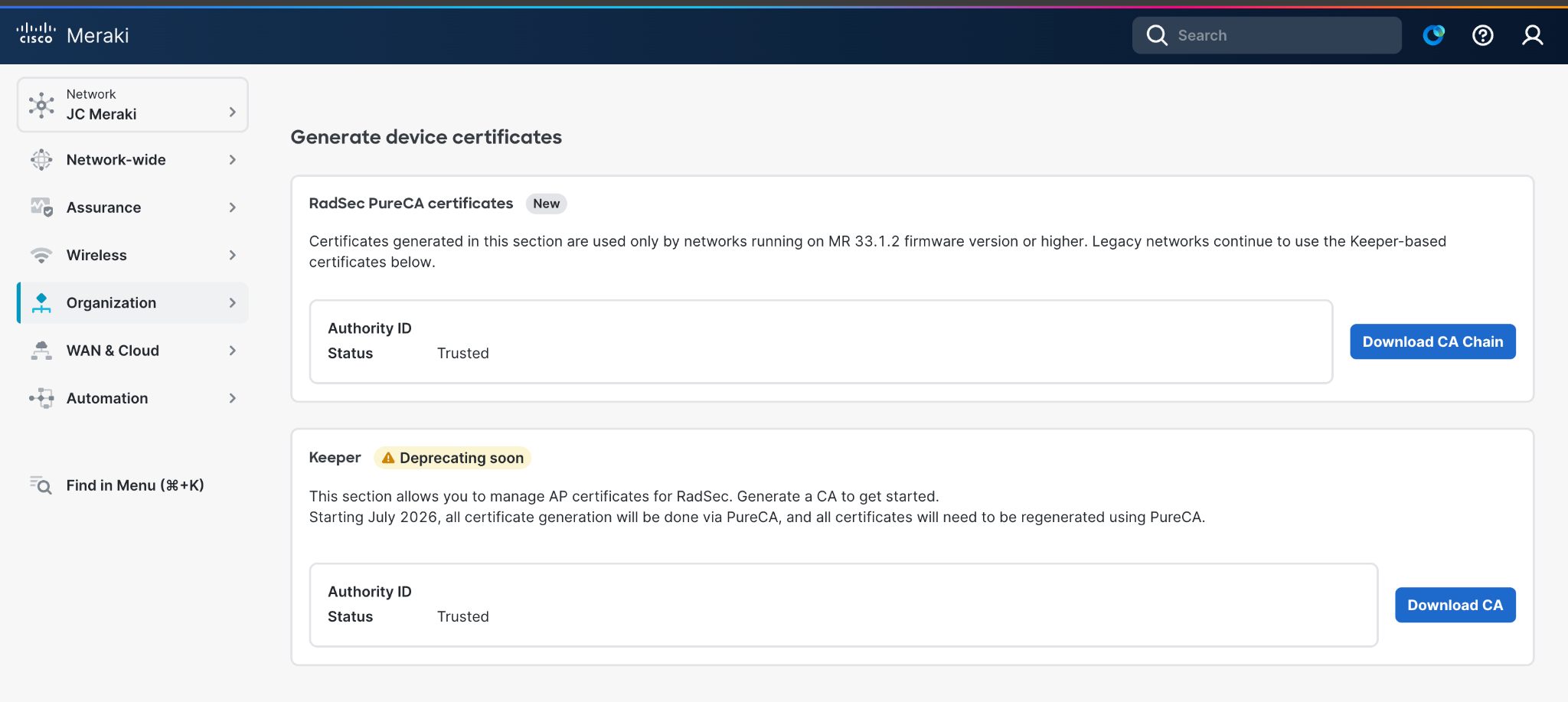
Use the PureCA download. Download CA under Keeper downloads the legacy authority.
Reviewing Upload Limits
Upload one PEM file of CA certificates. PEM blocks use -----BEGIN CERTIFICATE----- and -----END CERTIFICATE-----. Do not include private keys.
| Validation | Limit |
|---|---|
| Certificate count | Maximum 10 certificate blocks. Uploads with 11 or more are rejected. |
| Bundle size | Maximum 65,535 bytes after PEM validation and re-encoding. |
| Other PEM block types | Private keys and non-CERTIFICATE PEM blocks are rejected. |
Replacing Keeper CA with PureCA in JumpCloud
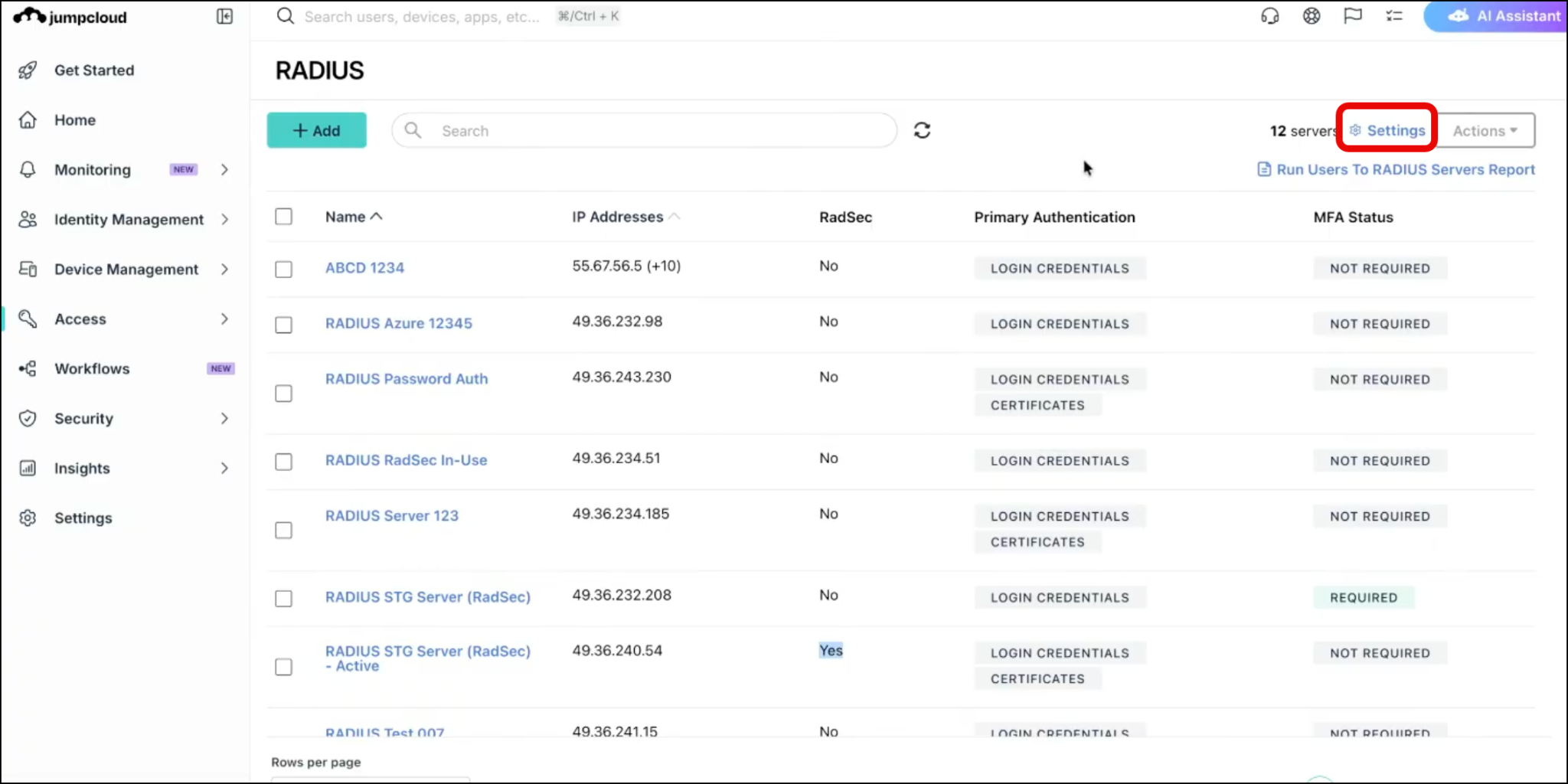
- Log in to the JumpCloud Admin Portal.
- Go to Access > RADIUS.
- Click Settings.
- On the RADIUS Settings page, click Choose Another File.
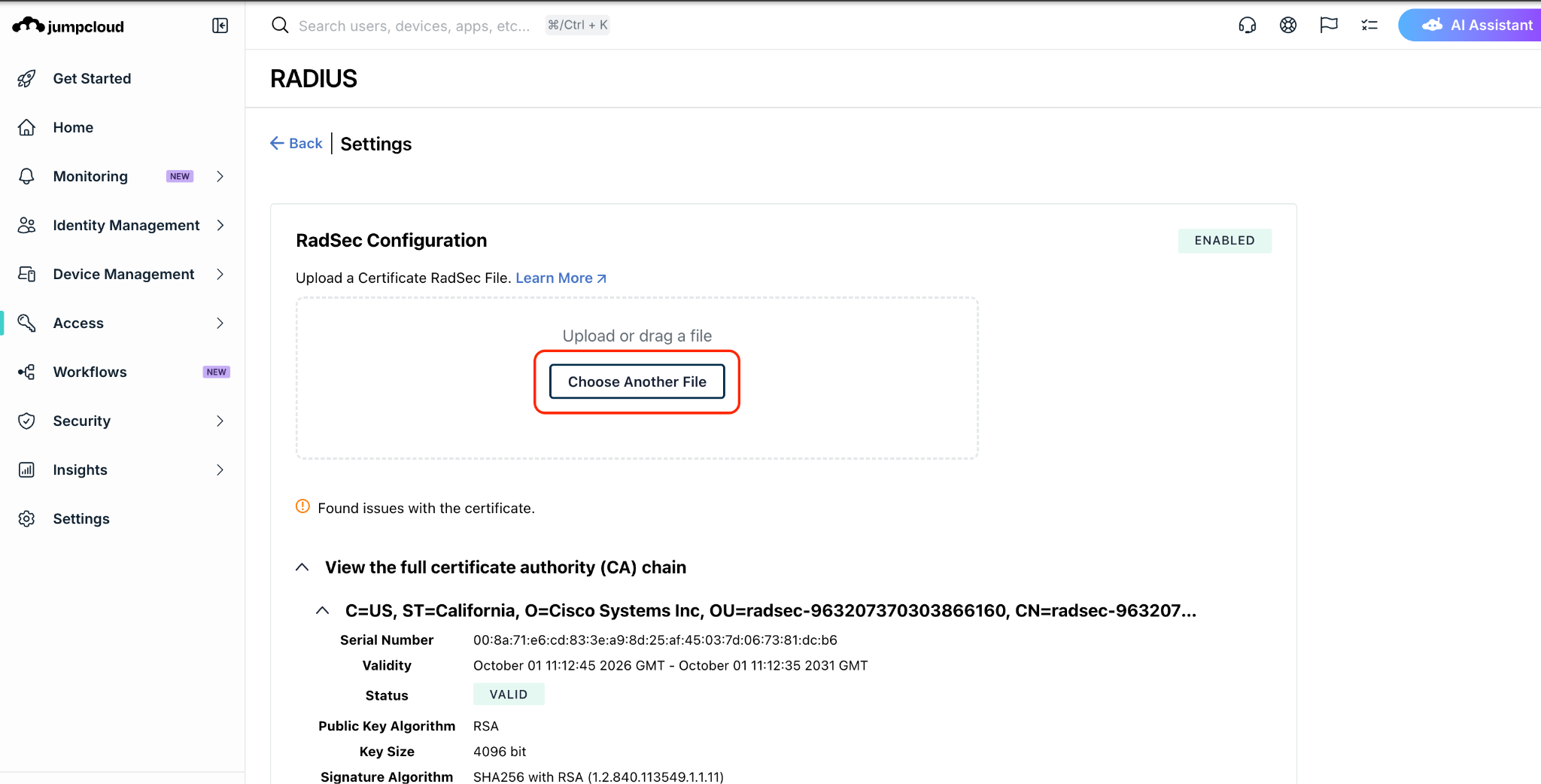
- Select the PureCA PEM bundle from your Cisco Meraki organization.
- Confirm the toaster notification for success or failure. After a successful upload, certificate details are displayed.
The existing Keeper CA is replaced with the selected PureCA. JumpCloud trusts only one active certificate chain at a time.
The upload supports one PEM bundle with up to 10 certificates.
To verify success, confirm a real client completes its configured authentication method and gets the intended network access after PureCA is uploaded in JumpCloud.
See RadSec Configuration for RADIUS.
Troubleshooting
If authentication fails after cutover, diagnose in this order:
| Failure stage | Checks |
|---|---|
| Upload rejected | Correct PEM file, supported upload path, certificate count, and size limit. |
| No connection to JumpCloud | Correct regional hostname, DNS resolution, outbound TCP 2083, configured public source IP, and RadSec enabled on both sides. |
| TLS certificate failure | Correct organization's bundle, complete chain, access point presenting PureCA, validity dates, and Meraki trust of JumpCloud's server certificate. |
| Revocation failure | Certificate revocation list availability, freshness, and certificate revocation status. |
| TLS succeeds but login fails | User or device authentication method, identity mapping, and access authorization. |
| Authentication succeeds but access fails | Network policy, VLAN, DHCP, and routing. Do not assume the CA migration failed. |
Was this information helpful?