Apple MDM Enrollment and Binding Rules for macOS User-Scoped Policies
On macOS, user-scoped policies are subject to specific Mobile Device Management (MDM) constraints. These policies apply to a single designated user per device. Understanding how this user is assigned during enrollment, and how policy binding works, is critical for successful device management.
MDM Enrollment Constraints
To successfully apply policies on macOS devices, the system relies on strict user-mapping rules.
-
The Enrolling User: User-scoped policies are limited to one specific user per device. This individual is designated as the "enrolling user" or "MDM-enabled user."
-
Manual Enrollment: If a device is enrolled manually, the enrolling user is defined as the person actively logged into the Mac at the exact moment the enrollment profile is installed.
-
Automated Device Enrollment (ADE): For devices enrolled via Apple Business Manager, the enrolling user is the account created during the initial device setup process.
Managing Policy Binding
Because of the restrictions tied to the enrolling user, policy binding must be handled carefully to avoid management failures.
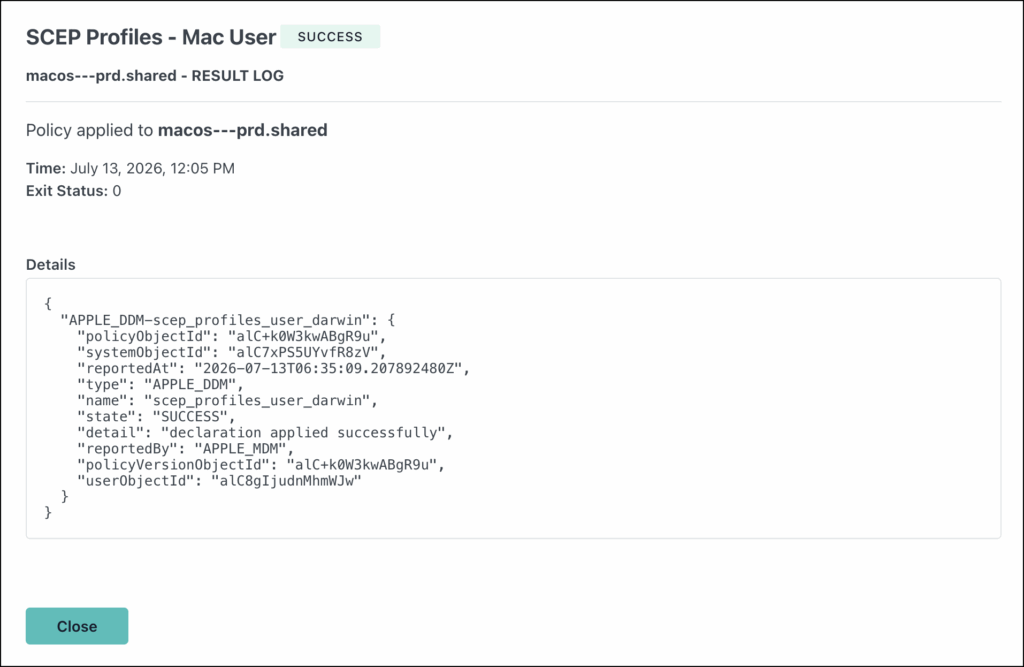
- Supported Binding: A JumpCloud user must be bound to the exact enrolling user account on the macOS device to successfully receive and execute user-scoped policies.
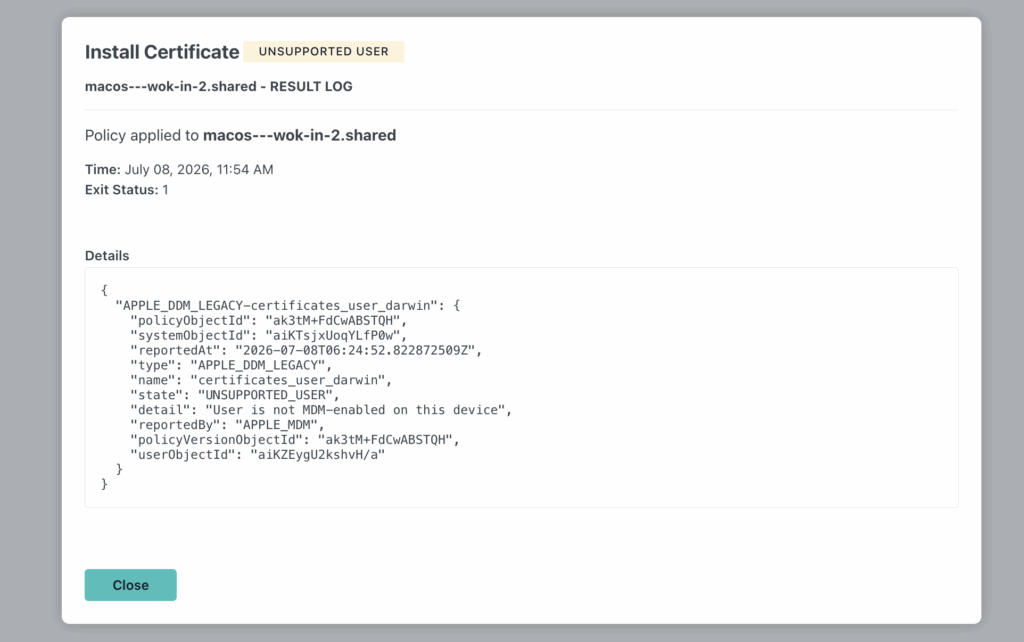
- Unsupported Users: If a JumpCloud user is bound to the device but is not the designated enrolled user, the system flags them as an UNSUPPORTED USER . These accounts cannot be controlled or managed through user-scoped policies.
Was this information helpful?